
News
Can I Fax From My Computer? Complete 2024 Guide to Methods, Setup, and Pricing

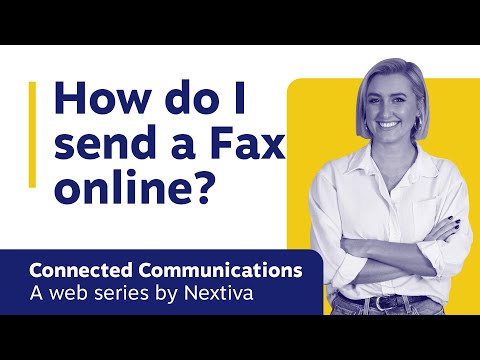
Can I Fax From My Computer? Everything You Need to Know
What Does Faxing From a Computer Mean?
Faxing from a computer replaces the traditional fax machine with digital tools that let you send and receive faxes over the internet. Instead of a phone line, the data travels through a secure server, which then converts the document into a fax signal for the recipient’s machine. This approach works on laptops, desktops, and even mobile devices, making it ideal for remote workers and small offices. The core benefit is that you no longer need dedicated hardware or a physical fax line to communicate with partners who still rely on fax.
Because the process is software‑driven, you can store sent and received faxes in the cloud, search them instantly, and integrate them with other business applications. The shift also reduces paper waste, cuts costs associated with ink and maintenance, and improves overall workflow efficiency. In short, faxing from a computer modernizes a decades‑old technology without forcing your contacts to change their habits.
How Traditional Faxing Works vs. Online Fax
Traditional fax machines use an analog telephone line to transmit scanned images as audio tones. Each page is converted into a series of tones that travel over the phone network, then reconverted into an image on the receiving end. The process is reliable but requires a dedicated fax line, regular hardware upkeep, and often incurs per‑page charges from phone providers.
Online fax services, also called internet fax or e‑fax, replace the phone line with a digital gateway. You upload a document (PDF, DOCX, image, etc.) and the service handles the conversion and delivery to the recipient’s fax machine or email inbox. These services typically charge a monthly subscription plus a small per‑fax fee, and they often include features like digital signatures, encryption, and audit trails that are impossible with analog faxing.
Top Methods to Fax From Your Computer
Email‑to‑Fax Services
With an email‑to‑fax service, you send an email to a special address (e.g., 1234567890@faxservice.com) and attach the document you want to fax. The provider turns the email into a fax and routes it to the recipient’s machine. This method is simple, requires no extra software, and works from any device that can send email.
Desktop Fax Software
Some vendors offer downloadable fax applications that connect to a virtual fax line via a subscription. The software installs on your Windows or macOS computer, provides a familiar fax dashboard, and lets you manage inbound and outbound faxes directly from your desktop. This option is useful for businesses that need tighter integration with local printers or scanners.
Cloud Fax Platforms
Cloud fax platforms deliver a full‑featured web portal and mobile apps. Users upload documents, schedule faxes, and track delivery status in real time. Many platforms also provide APIs, allowing you to embed fax capabilities into custom workflows, CRMs, or ERP systems.
Choosing the Right Fax Solution for Your Business
When evaluating options, consider the volume of faxes you send each month, required security levels, and how the fax tool will fit into your existing workflow. Below is a quick comparison of the three main categories discussed above.
| Method | Typical Pricing | Key Features | Best For |
|---|---|---|---|
| Email‑to‑Fax | Pay‑per‑fax or low‑cost monthly plan | Simple email interface, no software install | Occasional faxes, freelancers |
| Desktop Software | Mid‑range subscription, often per‑user | Local printing, integration with scanners | Small offices with existing hardware |
| Cloud Fax Platform | Tiered subscription (e.g., 100‑fax tier, 1,000‑fax tier) | Web dashboard, mobile apps, API, audit logs | Growing businesses, regulated industries |
Key Decision Factors
- Security & compliance: Look for TLS encryption, HIPAA‑compatible plans if you handle health data.
- Scalability: Choose a service that can grow with your fax volume without steep price jumps.
- Support: 24/7 phone or chat support can be critical when a fax fails during business hours.
- Integration: APIs or Zapier connections help automate fax workflows.
Step‑by‑Step Setup Guide (Using a Cloud Fax Platform)
Most cloud fax providers follow a similar onboarding flow. Below is a practical checklist you can follow regardless of the specific vendor you select.
- Sign up for a trial or paid account on the provider’s website.
- Verify your email address and set up two‑factor authentication for added security.
- Purchase a dedicated fax number or port an existing number if you want inbound capability.
- Upload your first document (PDF, DOCX, or image) via the web dashboard.
- Enter the recipient’s fax number, review the preview, and click “Send.”
- Check the delivery status; most platforms show “Delivered,” “Failed,” or “Pending.”
- Configure email notifications or webhook integrations to automatically log sent faxes in your CRM.
Once the basic workflow is running, explore advanced options like bulk faxing, digital signatures, and scheduled transmissions to streamline recurring processes.
Pricing Models and Cost Considerations
Pricing varies widely based on volume, features, and service level agreements. Most providers offer a base monthly fee that includes a set number of outgoing and incoming faxes. Additional pages beyond the allowance are billed at a per‑page rate, typically ranging from $0.04 to $0.10 per page.
If you anticipate high volume, look for tiered plans that lower the per‑page cost as you move up the tiers. Some services also provide “pay‑as‑you‑go” options with no monthly commitment, which can be useful for seasonal businesses. Always compare the total cost of ownership, including any hidden fees for porting numbers or premium support.
Security, Compliance, and Reliability
Fax transmission over the internet must meet security standards comparable to email encryption. Reputable providers use TLS for data in transit and store faxes in encrypted, ISO‑27001‑certified data centers. If you handle protected health information (PHI) or financial records, verify that the service offers HIPAA‑compliant or GDPR‑aligned plans.
Reliability is measured by uptime guarantees and delivery success rates. Look for service-level agreements (SLAs) that promise at least 99.9% uptime and provide real‑time delivery receipts. Redundant routing through multiple carriers helps ensure that a fax reaches its destination even if one carrier experiences an outage.
Common Use Cases and Real‑World Scenarios
Despite the rise of digital signatures, many industries still rely on fax for legal or regulatory reasons. Below are typical scenarios where faxing from a computer shines.
- Healthcare providers: Transmit patient records to hospitals that only accept faxes for HIPAA‑regulated data.
- Legal firms: Send signed contracts to courts or opposing counsel that require faxed copies.
- Real‑estate agents: Deliver signed lease agreements to landlords who prefer fax for quick verification.
- Manufacturing: Share purchase orders with suppliers who have legacy fax systems.
- Small business owners: Fax invoices to clients who still request paper documentation.
In each case, the ability to fax directly from a computer eliminates the need for a physical fax machine, reduces turnaround time, and creates a searchable digital archive.
Frequently Asked Questions
Do I need a phone line to fax from my computer?
No. Internet‑based fax services operate without a traditional phone line. They use a virtual fax number assigned by the provider, which routes faxes over the internet.
Can I receive faxes on my computer?
Yes. Most services let you receive inbound faxes to a virtual number and store them as PDFs in your online inbox, which you can download or forward via email.
Is faxing from a computer secure?
When you choose a reputable provider that offers TLS encryption and complies with industry standards, faxing from a computer is as secure as sending an encrypted email.
How many faxes can I send per month?
That depends on the plan you select. Entry‑level plans may include 100 pages per month, while enterprise plans can handle thousands of pages with unlimited inbound faxes.
Where can I learn more about specific providers?
Explore detailed reviews, feature lists, and pricing tables on the can i fax from my computer site to match a solution with your business needs.

Hopa review: app and mobile guide for UK players
Fun Casino account verification guide – how to register and start playing
Fun review: Fun Casino mobile experience and app‑free play for UK players
Fun online casino – what you need to know
Jaak Casino Online Overview and Options for UK Players
Fun app what to know
Fun promo code steps and methods for UK players
Neptune promo code security guide
Neptune promo code security guide for UK players
Neptune online casino bonus guide – UK welcome offers, free spins & wagering details

FASU CRISIS: REDEMPTION FORUM CALL FOR PEACE, WRITES TEAM FOCUS

BREAKING: PANIC IN IGBOORA AS SEGO BURNT TO ASHES … Towobowo market distrupted as motorcycle rate collector killed a minor.

ASAKO REPORTERS SET TO HONOUR ADEGOKE, ADEDIGBA, AKINLABI, OLUGBILE, OLANIPEKUN, OLARINDE,OWOTUTU, LATE OLU OF IGBOORA AND ONIPAKO
DELIBERATE PUBLICATION OF FAKE NEWS BY HASSAN OLAONIYE, PUBLISHER OF PEOPLESCONSCIENCE IS AN ABERRATION IN JOURNALISM PRACTICE

PANIC IN IGBOORA AS A PROMISING BATTERY CHARGER STABBED TO DEATH BY BROTHERS

EXACTLY A YEAR AFTER, IGBOORA STUDENTS UNION FORMER PRESIDENT THANK SUPPORTERS

DOCTORAL DEGREE: OYSCATECH MANAGEMENT, FORMER MANAGEMENT, ISEYIN CAMPUS OF LAUTECH ACTING PROVOST, OTHERS HONOUR AGBOGUN

Ramadan: Pattern Agro Ventures Greets Customers, Intimate them of Available Products

HON MURAINA AJIBOLA SAUBANA AND HIS NUMEROUS BILLS ON TERTIARY INSTITUTIONS: THE AYETE EXPERIENCE – KABIR O. AYINLA

PROFESSOR AKINOLA KEHINDE AKINLABI TO DELIVER LECTURE AT THE LAUNCHING OF ASAKO MAGAZINE
-
News5 years ago
FASU CRISIS: REDEMPTION FORUM CALL FOR PEACE, WRITES TEAM FOCUS
-
 News4 years ago
BREAKING: PANIC IN IGBOORA AS SEGO BURNT TO ASHES … Towobowo market distrupted as motorcycle rate collector killed a minor.
-
Business5 years ago
ASAKO REPORTERS SET TO HONOUR ADEGOKE, ADEDIGBA, AKINLABI, OLUGBILE, OLANIPEKUN, OLARINDE,OWOTUTU, LATE OLU OF IGBOORA AND ONIPAKO
-
Business5 years ago
DELIBERATE PUBLICATION OF FAKE NEWS BY HASSAN OLAONIYE, PUBLISHER OF PEOPLESCONSCIENCE IS AN ABERRATION IN JOURNALISM PRACTICE
-
News5 years ago
PANIC IN IGBOORA AS A PROMISING BATTERY CHARGER STABBED TO DEATH BY BROTHERS
-
Events5 years ago
EXACTLY A YEAR AFTER, IGBOORA STUDENTS UNION FORMER PRESIDENT THANK SUPPORTERS
-
Business5 years ago
DOCTORAL DEGREE: OYSCATECH MANAGEMENT, FORMER MANAGEMENT, ISEYIN CAMPUS OF LAUTECH ACTING PROVOST, OTHERS HONOUR AGBOGUN
-
 Religion5 years ago
Ramadan: Pattern Agro Ventures Greets Customers, Intimate them of Available Products